 Structa
The answer
Import the Midas Gen model through the supported workflow in StructaCAD, check levels, member sections and orientation, then generate the views and export DXF. Confirm which design results are included in your import before using the model for reinforcement detailing.
Put it into practice
Export the Midas Gen model in a format supported by your downstream workflow.
Import and verify member geometry, sections, levels, and orientation.
Generate structural views and details from the imported objects.
Export DXF and complete the final CAD review in AutoCAD.
An example of the output
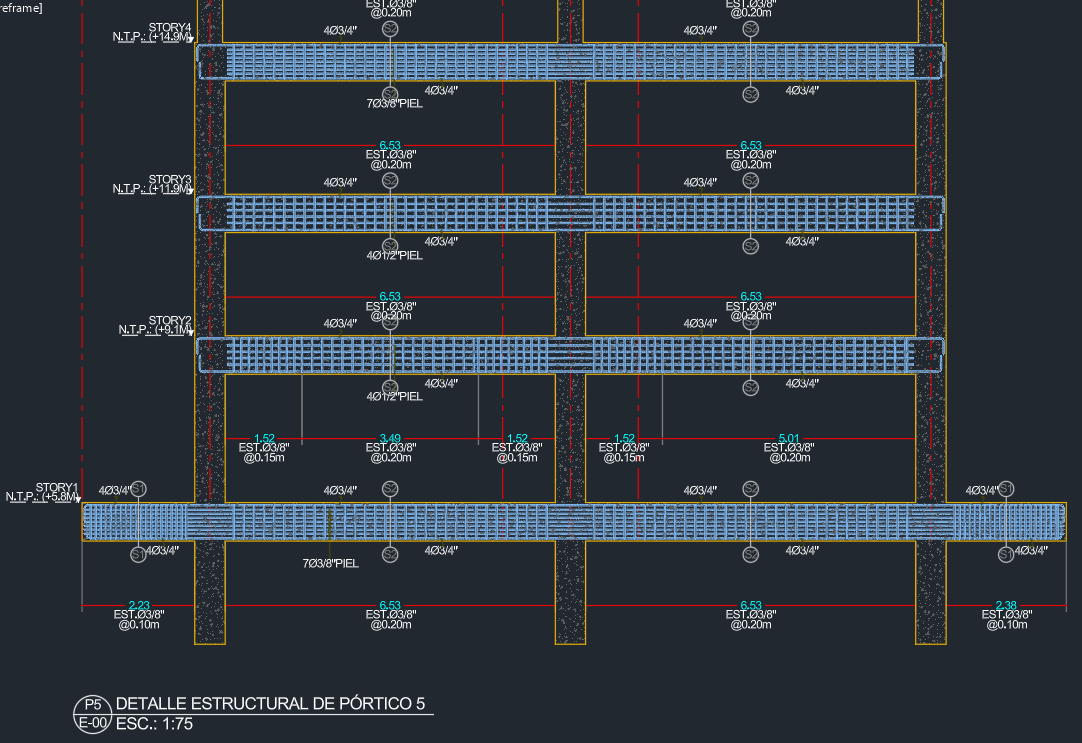 Explore the drawing ↗
Example output from StructaCAD. Your drawings will depend on the model and the options you choose.
Before you export
- Verify stories, orientation and member sections after import.
- Check which design information is available before detailing reinforcement.
- Review an exported view in CAD before producing all deliverables.
Continue with the complete workflow
Compare the available drawing types with your delivery requirements and inspect a full-size example.
Structural drawings: plans, elevations and detailsA little more detail
Do I need AutoCAD to use StructaCAD?
You can work in StructaCAD without AutoCAD open. To keep editing an exported drawing, use a CAD application that supports DXF. If your deliverable needs to be DWG, open the DXF in AutoCAD and save it in that format.
What happens when my model changes?
Bring in the updated information and regenerate the affected drawings. Compare versions before issue. Review any edits made to the DXF in AutoCAD separately when replacing an export.