 Structa
The answer
Use one representative project and ask each tool for the same deliverables. Record import issues, reinforcement adjustments, drawing corrections and total time through CAD review. Include the plans, licensing and support you need in the decision; a quick demo only shows one part of the workflow.
Put it into practice
Choose a sample model that includes the element types you use most.
Generate the same deliverables with each candidate.
Record missing information and manual corrections.
Compare total hours to a reviewable drawing set, not just initial setup time.
An example of the output
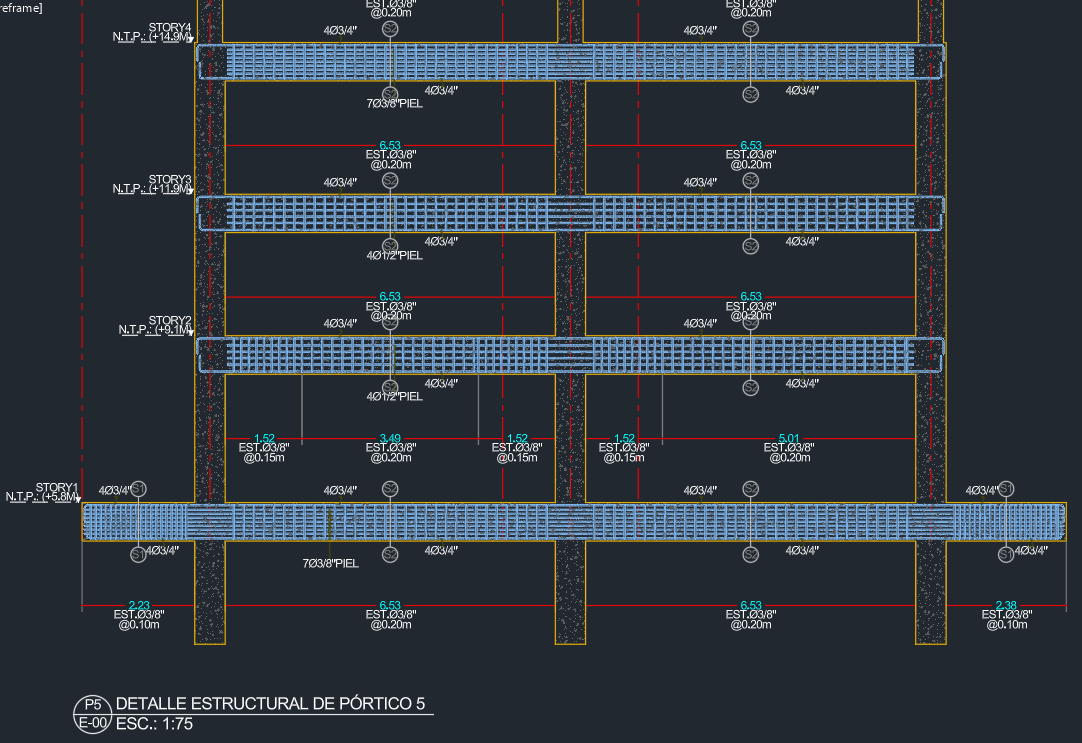 Explore the drawing ↗
Example output from StructaCAD. Your drawings will depend on the model and the options you choose.
Before you export
- Use the same model and deliverable list for each trial.
- Record the remaining import, reinforcement and drawing adjustments.
- Check plans, compatibility and support against your office's requirements.
Continue with the complete workflow
Compare the available drawing types with your delivery requirements and inspect a full-size example.
Structural drawings: plans, elevations and detailsA little more detail
Where should I start if I am new to StructaCAD?
Open StructaCAD and start with a small model you know. Check the stories and sections, generate one view and review it in CAD. You can enter without signing in; check the plans for export terms.
What happens when my model changes?
Bring in the updated information and regenerate the affected drawings. Compare versions before issue. Review any edits made to the DXF in AutoCAD separately when replacing an export.