 Structa
The answer
Use model quantities as the basis of the bill of quantities, then organize them into your project's cost items. StructaCAD helps you obtain and review those quantities. A priced estimate also needs your own unit rates, scope and allowances; the model alone does not define the complete project cost.
Put it into practice
Clean the structural model so the measured geometry is trustworthy.
Extract quantities and classify them into BOQ items.
Apply unit definitions and pricing categories separately from the raw model data.
Review exclusions, overlaps, and estimating allowances before using the BOQ commercially.
An example of the output
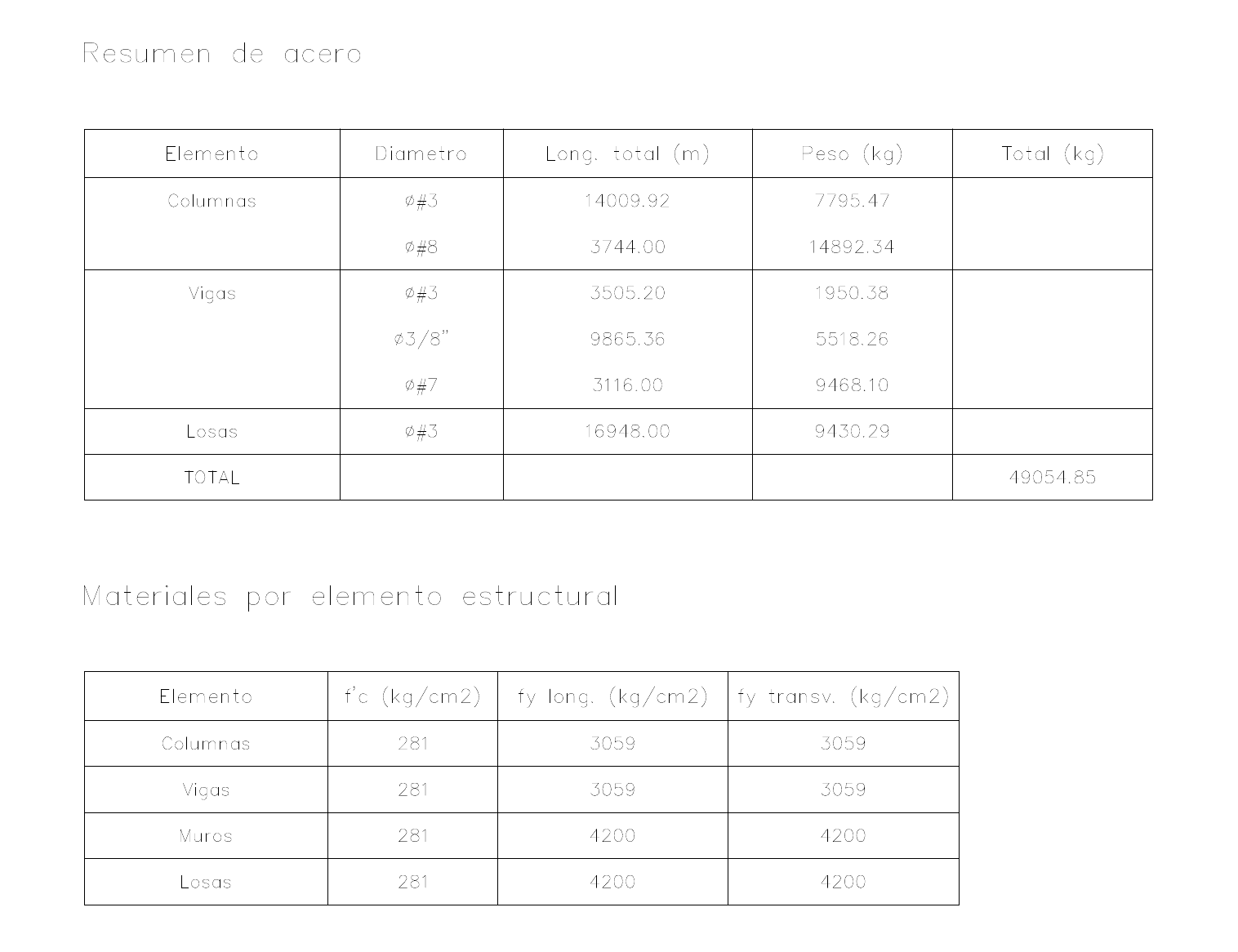 Explore the drawing ↗
Example output from StructaCAD. Your drawings will depend on the model and the options you choose.
Before you export
- Confirm units, included elements and quantity grouping.
- Check which bar lengths and arrangements the takeoff uses.
- Keep model quantities separate from your rates, waste and purchasing allowances.
Continue with the complete workflow
Continue from quantities to an estimate using your own rates and project assumptions.
Unit price analysis from model quantitiesA little more detail
Where should I start if I am new to StructaCAD?
Open StructaCAD and start with a small model you know. Check the stories and sections, generate one view and review it in CAD. You can enter without signing in; check the plans for export terms.
What happens when my model changes?
Bring in the updated information and regenerate the affected drawings. Compare versions before issue. Review any edits made to the DXF in AutoCAD separately when replacing an export.